.jfif) Romy Khan
Romy Khan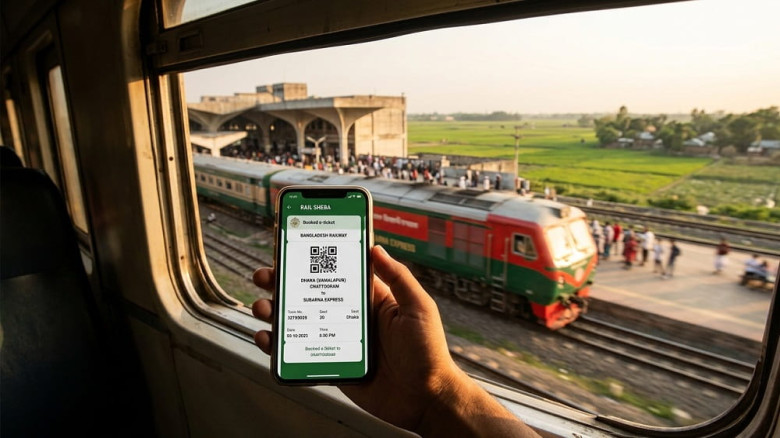
.jpg "header3")
For decades, the railway has been the backbone of Bangladesh’s transportation system. Offering a scenic, affordable, and relatively safe alternative to the hectic highways, the train ticket is the most sought-after travel document in the country. Whether you are a daily commuter, a student heading home, or a tourist looking to explore the lush greenery of the countryside, understanding how to secure a railway ticket is essential.
In recent years, the Bangladesh Railway ticket booking process has undergone a massive digital transformation. The days of standing in endless queues at Kamalapur Railway Station are fading, replaced by the convenience of the Rail Sheba platform. This article provides a comprehensive guide on everything you need to know about purchasing tickets, using the digital app, and ensuring a smooth journey on the tracks.
The Evolution of Train Travel in Bangladesh
Historically, getting a railway ticket in Bangladesh was a test of patience. Passengers often had to arrive at the station hours before dawn, hoping the "Sold Out" sign wouldn't appear before they reached the counter.
Today, Bangladesh Railway (BR) operates a vast network connecting major cities like Dhaka, Chittagong, Sylhet, Rajshahi, and Khulna. With the introduction of high-speed intercity trains and improved infrastructure, the demand for train tickets has skyrocketed. To manage this demand, the government introduced an integrated digital ticketing system that allows passengers to book seats from the comfort of their homes.
How to Buy a Bangladesh Railway Ticket Online
The most efficient way to travel is by using the official e-ticketing website or the mobile application. Here is a step-by-step breakdown of the process:
1. Registration and Verification
Before you can book a railway ticket, you must create an account on the Bangladesh Railway portal (eticket.railway.gov.bd). Since 2023, the system requires NID (National ID) verification.
- Enter your mobile number and NID details.
- Verify the account via an OTP (One-Time Password).
Note: This measure was implemented to prevent ticket scalping and ensure that one person cannot buy an excessive number of tickets under fake identities.
2. Searching for Trains
Once logged in, you can search for your desired route.
- Select your "From" and "To" stations.
- Choose your date of journey (you can book up to 10 days in advance).
- Select the class (e.g., Shovon Chair, Snigdha, AC Seat, or AC Berth).
3. Seat Selection and Payment
The system allows you to view the available seat layout. After choosing your seat, you must complete the payment within a specific time frame (usually 15 minutes). Popular payment methods include:
- Mobile Financial Services (MFS): bKash, Nagad, Rocket.
- Debit/Credit Cards: Visa, Mastercard, DBBL Nexus.
The Rail Sheba App: Your Pocket Travel Companion
For frequent travelers, the Rail Sheba app is an indispensable tool. Available on the Google Play Store, the app streamlines the booking process even further than the website.
Key Features of Rail Sheba:
- Real-time Availability: Instantly check how many seats are left in different classes.
- Purchase History: Easily access your previous bookings and download your e-tickets.
- Train Tracking: Many users use the app to check the current location of their train, helping to manage time if there are delays.
- User-Friendly Interface: The app is designed to work even on moderate internet speeds, making it accessible for people across the country.
Challenges and Tips for Success
Pro-Tips for Booking:
- Timing is Everything: Tickets are usually released at 8:00 AM sharp. Ensure you are logged in and have a stable internet connection five minutes prior.
- Verify Your NID Early: Don't wait until the day of travel to verify your account. Do it well in advance.
- Check for "Standing Tickets": If intercity seats are sold out, some stations offer "Standing Tickets" or "Commuter" tickets at the counter shortly before the train departs.
- The "Return Ticket" Strategy: If you are planning a round trip, try to book your return train ticket the moment the window opens for that date.